Multiple master checkboxes in the statements component

Single master checkbox
By default the statements component is displayed with a single master checkbox. Regardless of the number of controls, such a checkbox selects them all.

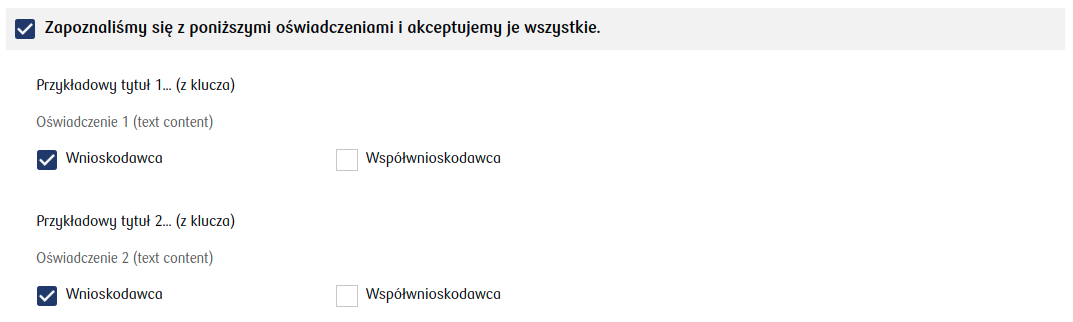
Illustration 1. Example appearance of statements with a single master checkbox for one control (appearance may vary depending on implementation)

Illustration 2. Example appearance of the component with a single master checkbox for two controls (appearance may vary depending on implementation)

Multiple master checkboxes

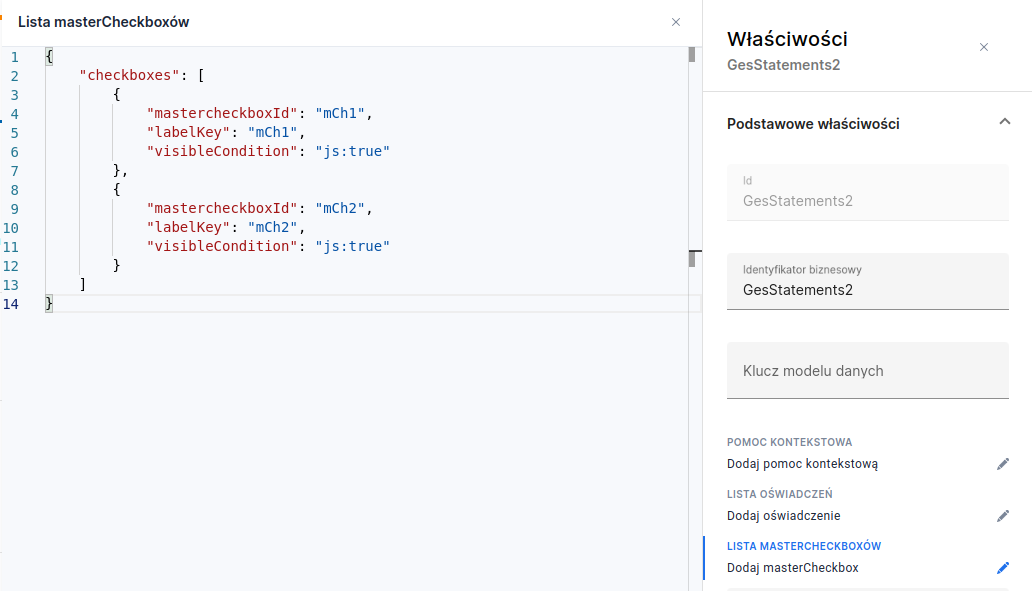
To display two or more master checkboxes, you must first define them by clicking Add masterCheckbox in the field LIST OF MASTERCHECKBOXES (masterCheckboxes).

Illustration 3. Master checkboxes List window with a defined list of two main checkboxes
1

Define master checkboxes

For each master checkbox you must define:

  • mastercheckboxId — The Id that will identify the master checkbox for the controls

  • labelKey — The text key that will be displayed for the master checkbox with the given id

  • visibleCondition — The visibility condition for the master checkbox. Default value: "true".

2

Bind master checkbox to a control

To bind a master checkbox to a control, enter the master checkbox id in the control definition. Appropriate entries must be added to the component JSON (more about creating statements in Statements editor).

Example (JSON fragment) showing adding master checkboxes "mCh1" and "mCh2" for statements:

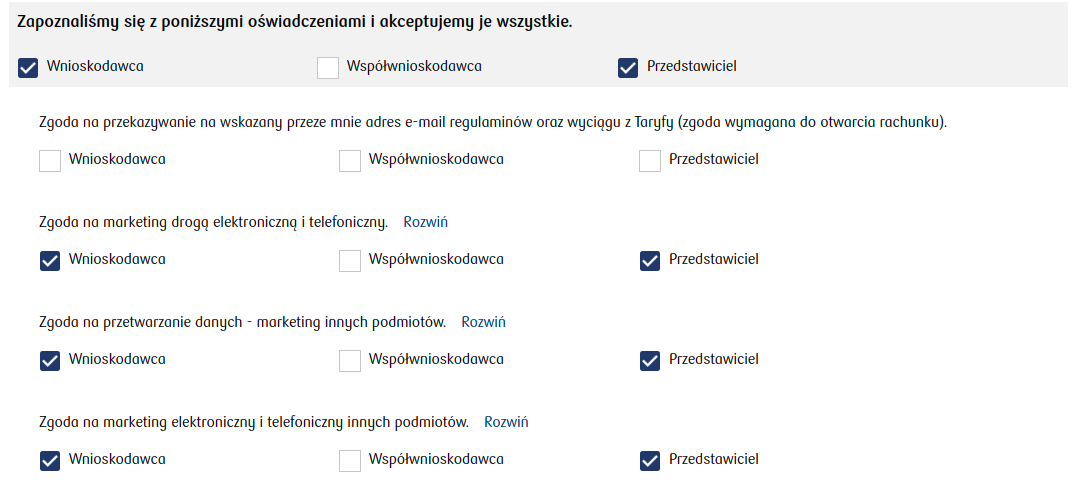
Illustration 4. Example statements with three master checkboxes (appearance may vary depending on implementation).

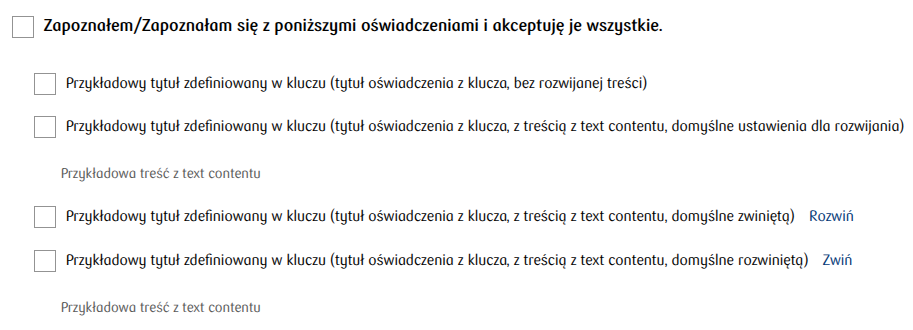
When only one master checkbox is visible, the statements will look like below. The master checkbox key will not be displayed; instead a default description will appear. In this case the master checkbox behavior does not change and it still selects only those controls that have the parameter mastercheckbox pointing to its id — in other words, that master checkbox does not select all controls.

Illustration 5. Example statements with one visible master checkbox (appearance may vary depending on implementation).

Last updated

Was this helpful?