
Statements
Component displaying statements
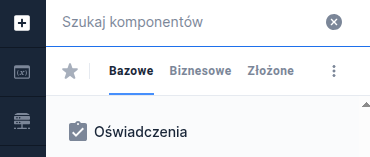
Component properties
List of statements (section Basic properties)
items
List of defined statements to display. The button Add statement  opens a drawer List of statements used to define "items". We create statements in Statements editor.
List of masterCheckboxes (section Basic properties)
masterCheckboxes
List of defined master checkboxes.
The availability of functionality depends on the license and may not be available in all deployments.
Functionality described in more detail within Multiple master checkboxes in the declarations component and Visibility of a single master checkbox.
Value of a checked statement (section Basic properties)
valueYes
The value a statement takes when it is checked - by default, if no other value is set, the value "true" is returned.
Value of an unchecked statement (section Basic properties)
valueNo
The value a statement takes when it is unchecked - by default, if no other value is set, the value "false" is returned.
Condition for collapsing/expanding the component (section Other)
expandableCondition
Condition for which the text to collapse/expand the entire statements component should be displayed under or next to the main checkbox (depending on the implementation). When set to "false", the component is expanded and cannot be collapsed (the collapse text is not displayed). If the condition is empty or invalid, the value "false" will be evolved. If the property is unconditionally set to "false" there is no point in setting the "Condition for a default expanded component" field, because the entire content will always be displayed.
For conditions using other components you must define the appropriate listeningon the component.
Condition for a default expanded component (section Other)
expandedCondition
When the field Condition for collapsing/expanding the component is set to "true", the property decides whether the component is expanded or collapsed by default. The statements component is expanded by default for the value "true". If the condition is empty or invalid, the value "true" will be evolved.
For conditions using other components you must define the appropriate listening on the component.
More information about component properties: Common component properties
Statement title
The statement title comes from the key defined in the Translationstab. The statement content comes from the Formatted content artifact (details -> Creating and attaching the Content artifact). One or several controls can be assigned to the content of each statement. Depending on flags, either the whole component or the content of a single statement can be expandable. Statements can have one master checkbox (the main checkbox of the component controlling the statements' checkboxes) or several master checkboxes (description → Multiple master checkboxes in the declarations component).

Demo request: demoStatements
Last updated
Was this helpful?