The availability of functionality depends on the license and may not be available in all deployments.
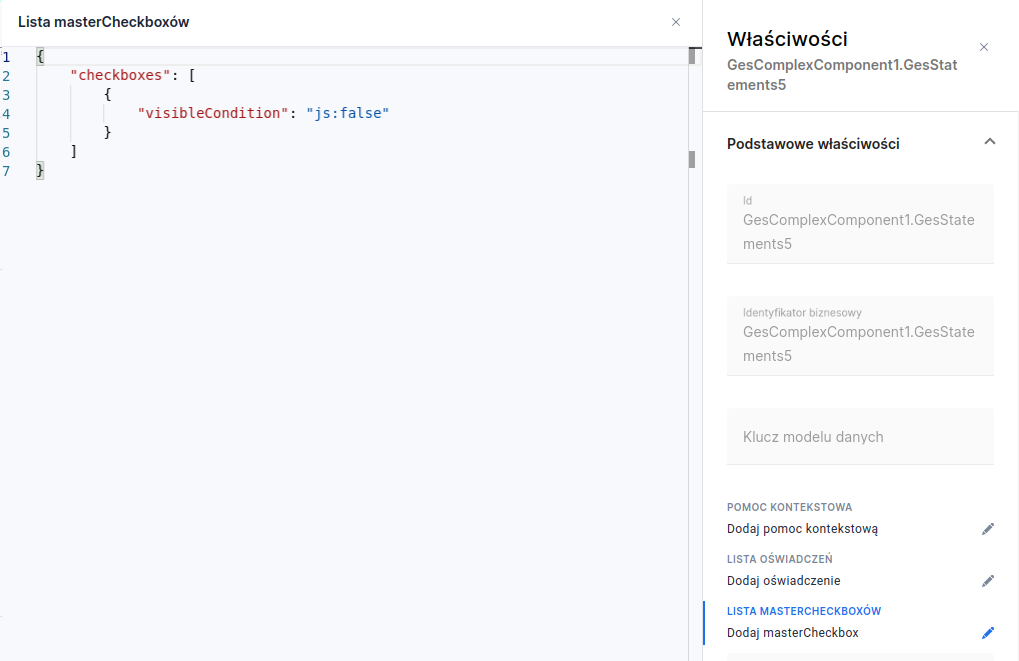
In selected deployments the ability to define multiple master checkboxes is not supported (Multiple master checkboxes in the declarations component), but it is possible to control the visibility of the single master checkbox. This is done by the List editor masterCheckboxes (section Basic properties), allowing you to define a single-item list:
Illustration 1. Editor view with the master checkbox visibility option set
When the visibility condition in the example (visibleCondition) evaluates to false, the master checkbox is hidden, whereas when it evaluates to true, or the configuration has not been defined — the master checkbox will be visible. Conditions are not evaluated from within Eximee Designer, therefore on the application preview the master checkbox will still be visible.