
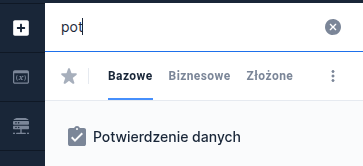
Data confirmation - ConfirmationSection
The data confirmation section is used to define a summary with the values of selected application fields before submission. Additionally, it allows updating specified application fields that are linked to the components placed in the section.
Description of operation
To link a field placed in the section with a specific application field, you must indicate that application field as the Data source from another field (valueSourceId) of the component in the section.
After confirming the data entered in the section, it will be copied to the field indicated as valueSourceId.
If we also want a change in the application field's value to trigger an update of the linked field in the section, for the component in the section you should define a dependency on the application field.
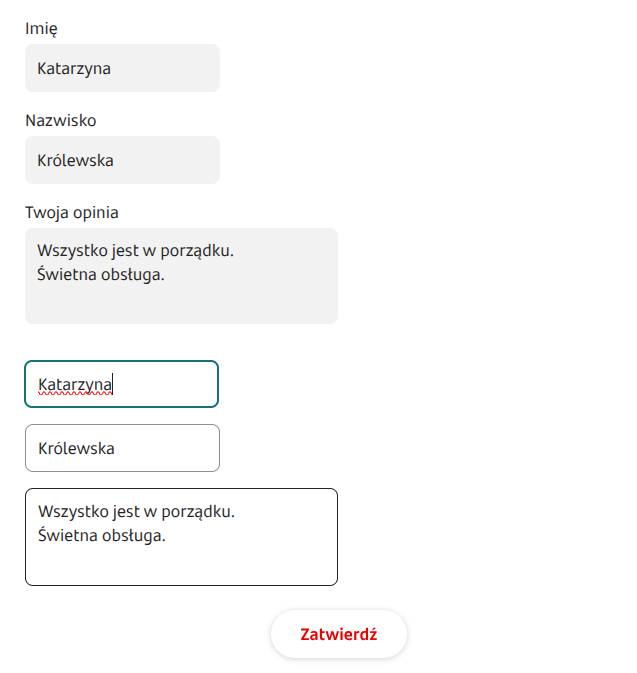
The data confirmation component works in two modes: edit and preview.
Edit mode
In edit mode the section displays all components placed on it according to the section layout and additionally places a link on the right side used to confirm the entered changes.
Fields in the section are validated similarly to all other application fields. After confirming changes and successful validation, the data is sent to the component on the application linked by Data source from another field.
Data confirmation is not possible in case of any validation errors in the section fields. After successful confirmation of changes the section returns to preview mode.
When the page containing the section is reopened, the component returns to its initial state (i.e., it takes values from the linked application fields).
In the case of discarding changes using the Cancel the decisive setting is the section configuration in Eximee Designer - the checked option Preserve values on cancel (preserveValuesOnCancel) will keep the previous values entered in the section components; unchecked will clear them.
Component dependencies
A change in the value of a component on which the section depends causes recalculation of its state and the state of all components contained within it.
When any component in the section changes, the values of all components dependent on it are recalculated.
Arranging components (layout)
Within the section you can define a layout analogous to the layout for the application page.
Validation errors
Validation errors on the ConfirmationSection do not cause the Send application button to be hidden. Submit application.
Component properties
ARIA description for the Edit button (section WCAG)
editLinkAriaDescriptionKey
Aria description (aria-description) for the button Edit
ARIA description for the Confirm button (section WCAG)
submitLinkAriaDescriptionKey
Aria description (aria-description) for the button Confirm
More information about component properties: Common component properties
Demo application: demoConfirmationSection
Last updated
Was this helpful?