
Statements - additional properties
The availability of functionality depends on the license and may not be available in all deployments.
Additional component properties
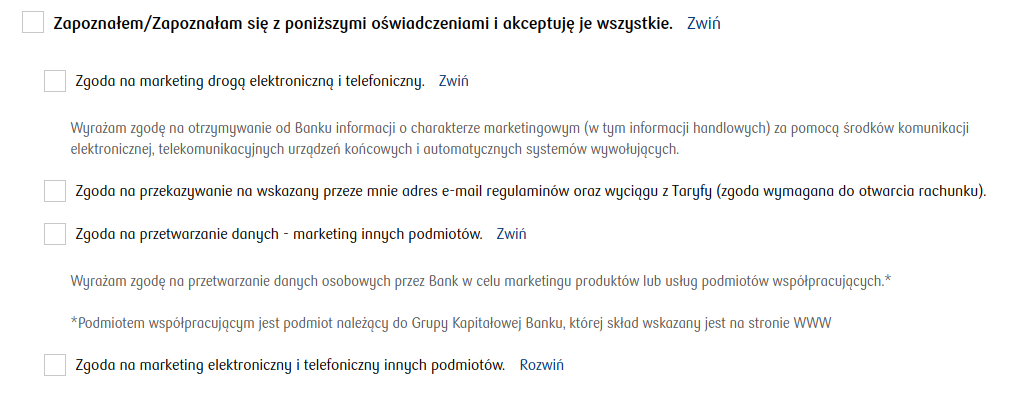
Content displayed next to a single master checkbox (section Other)
masterCheckboxLabel
Property overriding the content located next to a single master checkbox.
Property overriding the content "Fold statements content" (section Other)
foldText
Property overriding the content "Fold statements content".
Property overriding the content "Unfold statements content" (section Other)
unfoldText
Property overriding the content "Unfold statements content".
Property overriding the content "I accept all statements" (section Other)
acceptAllText
Property overriding the content "I accept all statements".
Property overriding the content "I accept selected statements" (section Other)
acceptSomeText
Property overriding the content "I accept selected statements".
Property overriding the content "You have not made a selection for all statements, complete the required information in the statements section" (section Other)
notAllSelectedErrorText
Property overriding the content "You have not made a selection for all statements, complete the required information in the statements section".
Property overriding the content "You have not consented to the required statements" (section Other)
notAllRequiredAcceptedErrorText
Property overriding the content "You have not consented to the required statements".
Keys for Statements
Some default component texts can be overridden by keys. The override possibilities are listed in the table below (values entered in the Translations):
iew.statements.fold
Translation key for the text for collapsing the entire statements component.
iew.statements.unfold
Translation key for the text for expanding the entire statements component.
iew.statements.item.fold
Translation key for the text for collapsing a single statement (item) - overrides Collapse.
iew.statements.item.unfold
Translation key for the text for expanding a single statement (item) - overrides Expand.
iew.statements.item.native.accept.button
Translation key overriding the text I accept → this is the content of one of the popup buttons that appears in the native app after clicking More.
iew.statements.item.native.accept.plural.button
Translation key overriding the text We accept → this is the content of one of the popup buttons that appears in the native app after clicking More. Displayed when we have more than one control on a statement of the same type.
iew.statements.item.native.notaccept.button
Translation key overriding the text I do not accept → this is the content of one of the popup buttons that appears in the native app after clicking More.
iew.statements.item.native.notaccept.plural.button
Translation key overriding the text We do not accept → this is the content of one of the popup buttons that appears in the native app after clicking More. Displayed when we have more than one control on a statement of the same type.
iew.statements.item.native.more
Translation key overriding the text More → this is the content next to the statement that appears in the native app. Clicking it opens a popup with the full statement content.
iew.statements.item.edit
Translation key overriding the text Edit data → this is the content directing to the popup displayed after clicking the text.
iew.statements.single.label.acceptAll
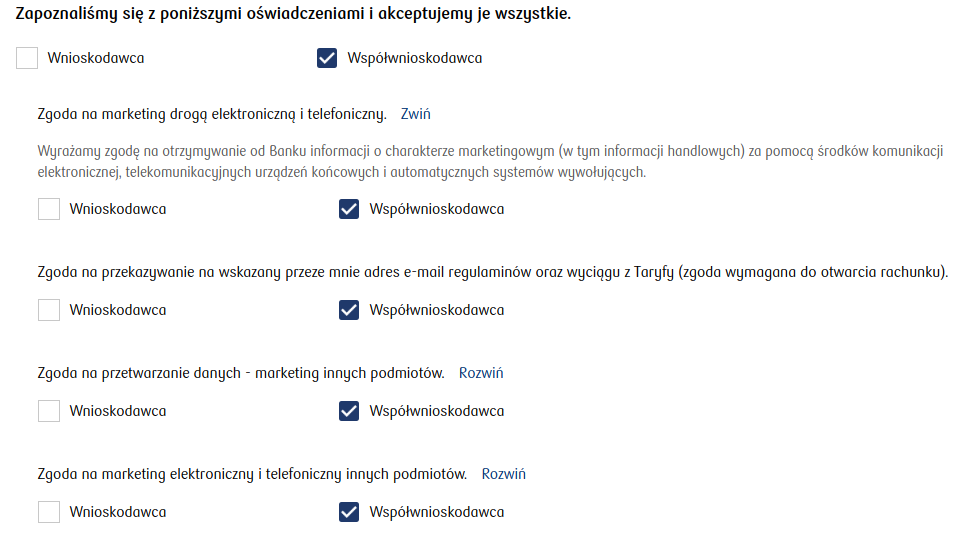
Translation key overriding the master checkbox content for a single control.
iew.statements.coapplicant.label.acceptAll
Translation key overriding the master checkbox content for multiple controls.
Demo application (statement keys): demoStatementsKeys
Last updated
Was this helpful?