Content using Wiki Markup
Standard Confluence Wiki Markup
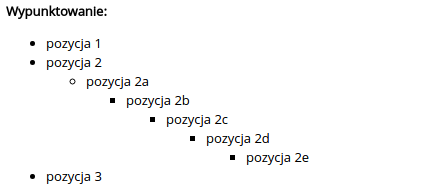
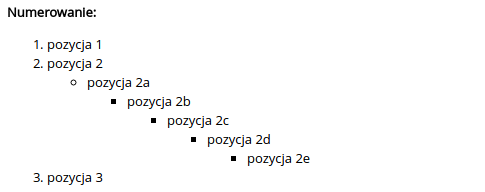
In artifacts Content (TextContent) you can use Wiki Markup. For formatting the text contained in a given Content refer to the documentation:
Example formatting in Content and appearance on the application


Images
To insert an image in Content you should place the path to the image between exclamation marks. If you want to add some attributes to the image (e.g., alternative text) you should use the {img}tag, which has the following syntax:
{img:attribute_name1=attribute_value1:attribute_name2=attribute_value2...}path_to_image{img}
An attribute can be any attribute supported by the HTML tag except src (https://www.w3schools.com/tags/tag_img.asp).
Examples
Image
!biz/1.png!
Image with alternative text
{img:alt=Alternative text}biz/1.png{img}
<img src='biz/1.png' alt='Alternative text' />
Image with alternative text and class
{img:alt=Alternative text:class=class}biz/1.png{img}
<img src='biz/1.png' alt='Alternative text' class='class' />
Confluence Wiki Markup Extensions
In addition to standard Confluence Wiki Markup we can use additional extensions:
{span:class1}...{span} -> is converted to <span class="class1">...</span>
Last updated
Was this helpful?