
Image - Image
Availability of functionality depends on the license and may not be available in all deployments.
Image component
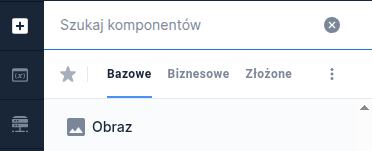
Component properties
Link to the image (section Basic properties)
imageUrl
The image must be stored in the project repository in order to be displayed on the form. Enter the relative path to that resource in the parameter.
Text to display when the URL is incorrect (section Basic properties)
imageAlt
Content or graphic to be displayed if the image is not found (empty by default). Note! You should set the presentation (presentation) to informative.
Maintain default image aspect ratio (section Basic properties)
keepAspectRatio
Parameter for maintaining the default image aspect ratio (default value "Yes"). The availability of this functionality depends on the license and may not be available in all deployments.
Image height
heightHint
Image height. The availability of this functionality depends on the license and may not be available in all deployments.
Image width
widthHint
Image width. The availability of this functionality depends on the license and may not be available in all deployments.
Presentation (section WCAG)
presentation
- Informative — the image is focusable and has the alt attribute from the "Text to display when the URL is incorrect" property.
- Decorative — the image is not focusable and has the alt attribute with an empty value.
More information about component properties: Common component properties

Demo forms: demoImage
Last updated
Was this helpful?