> For the complete documentation index, see [llms.txt](https://docs.eximee.com/llms.txt). Markdown versions of documentation pages are available by appending `.md` to page URLs; this page is available as [Markdown](https://docs.eximee.com/documentation/documentation-en/wprowadzenie/aplikacja-biznesowa.md).
# Business application
## Business application on the Eximee platform
A business application in the Eximee Low-Code Platform is a complete solution that accomplishes a specific goal – e.g. a sales process, customer onboarding, or after-sales service. It is made up of a set of interconnected elements (artifacts) that together define how the application works, user interaction, processing logic, and data flow.
### Four key areas of a business application
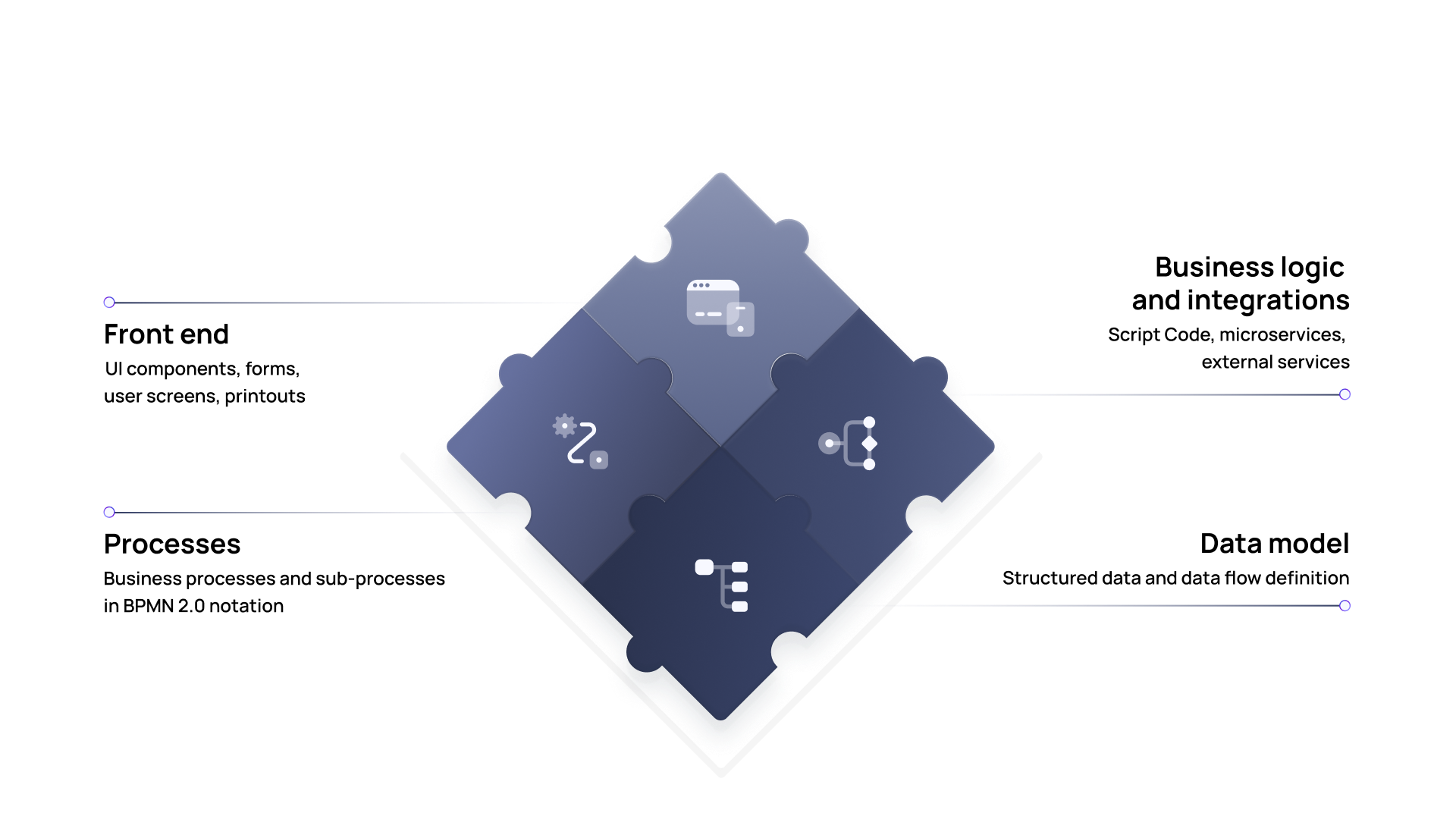
Each application is based on four fundamental elements: **data model**, **business process**, **application logic** and **front-end layer**. These elements can be combined as needed – not every application requires all of them.
### Data model
The data model defines the structure of the information used in the application – from customer data, through product parameters, to process statuses. It serves as a reference point for all other components: forms, processes, scripts, and integrations. It ensures data consistency and makes it easier to develop and maintain the application over time. Thanks to it, data is handled in a uniform and controlled way – regardless of where it is used.
> More about the structure and management of the data model can be found in the chapter [Building an application - Data model](/documentation/documentation-en/budowanie-aplikacji/model-danych.md)
### Business process
Processes in Eximee reflect the application's workflow – from initiation by the customer, to closing the case or issuing a decision. They can include both automatic actions (e.g. integrations, decision rules) and tasks performed by users. They are created as a graphical BPMN model, which makes it easier to understand the process logic and modify it. Processes can be simple or extensive – with conditions, parallel paths, and subprocesses – depending on the needs.
> A description of process modeling and configuration can be found in the chapter [Building an application - Business process](/documentation/documentation-en/budowanie-aplikacji/proces-biznesowy.md)
### Application logic and integrations
Application logic includes the operating rules that determine how the application responds to data, events, and user interactions. It can be implemented using scripts (e.g. calculations, validations, data formatting), as well as through automatic steps in processes. An integral part of the logic are integrations with external systems – such as CRM, scoring, public registers, or document handling systems. In Eximee, these integrations can be built in a configurable way, without the need to code services.
> Detailed information about scripts, validations, and integrations is available in the chapter [Building an application - Business logic](/documentation/documentation-en/budowanie-aplikacji/logika-biznesowa.md)
### Front-end – forms and user interface
The front-end layer consists of forms and screens that are visible to the user – the customer or bank employee. They enable data entry and processing, information presentation, and task execution within processes. Forms are built in a graphical editor and can be reused – in different contexts and channels. Thanks to integration with the data model and application logic, the interface becomes dynamic and contextual – it adapts to the user's situation and the stage of the process.
> The construction of forms, components, and the user interface is discussed in the chapter [Building an application - User interface](/documentation/documentation-en/budowanie-aplikacji/interfejs-uzytkownika.md)
### A coherent, modular approach
All four areas – data model, process, logic, and interface – are interconnected, but can be developed independently. This makes applications built on Eximee modular, easy to test, and reusable. The platform also enables central [version management](/documentation/documentation-en/budowanie-aplikacji/aplikacja-biznesowa/wersjonowanie.md), publishing changes without interrupting operations, and quickly adapting to changing business and regulatory requirements.
---
# Agent Instructions
This documentation is published with GitBook. GitBook is the documentation platform designed so that both humans and AI agents can read, navigate, and reason over technical content effectively. Learn more at gitbook.com.
## Querying This Documentation
If you need additional information that is not directly available in this page, you can query the documentation dynamically by asking a question.
Perform an HTTP GET request on the current page URL with the `ask` query parameter, and the optional `goal` query parameter:
```
GET https://docs.eximee.com/documentation/documentation-en/wprowadzenie/aplikacja-biznesowa.md?ask=&goal=
```
`ask` is the immediate question: it should be specific, self-contained, and written in natural language.
`goal` is optional and describes the broader end goal you are ultimately trying to accomplish on behalf of the user. GitBook uses it to tailor the answer towards what is most useful for that goal.
The response will contain a direct answer to the question and relevant excerpts and sources from the documentation.
Use this mechanism when the answer is not explicitly present in the current page, you need clarification or additional context, or you want to retrieve related documentation sections.