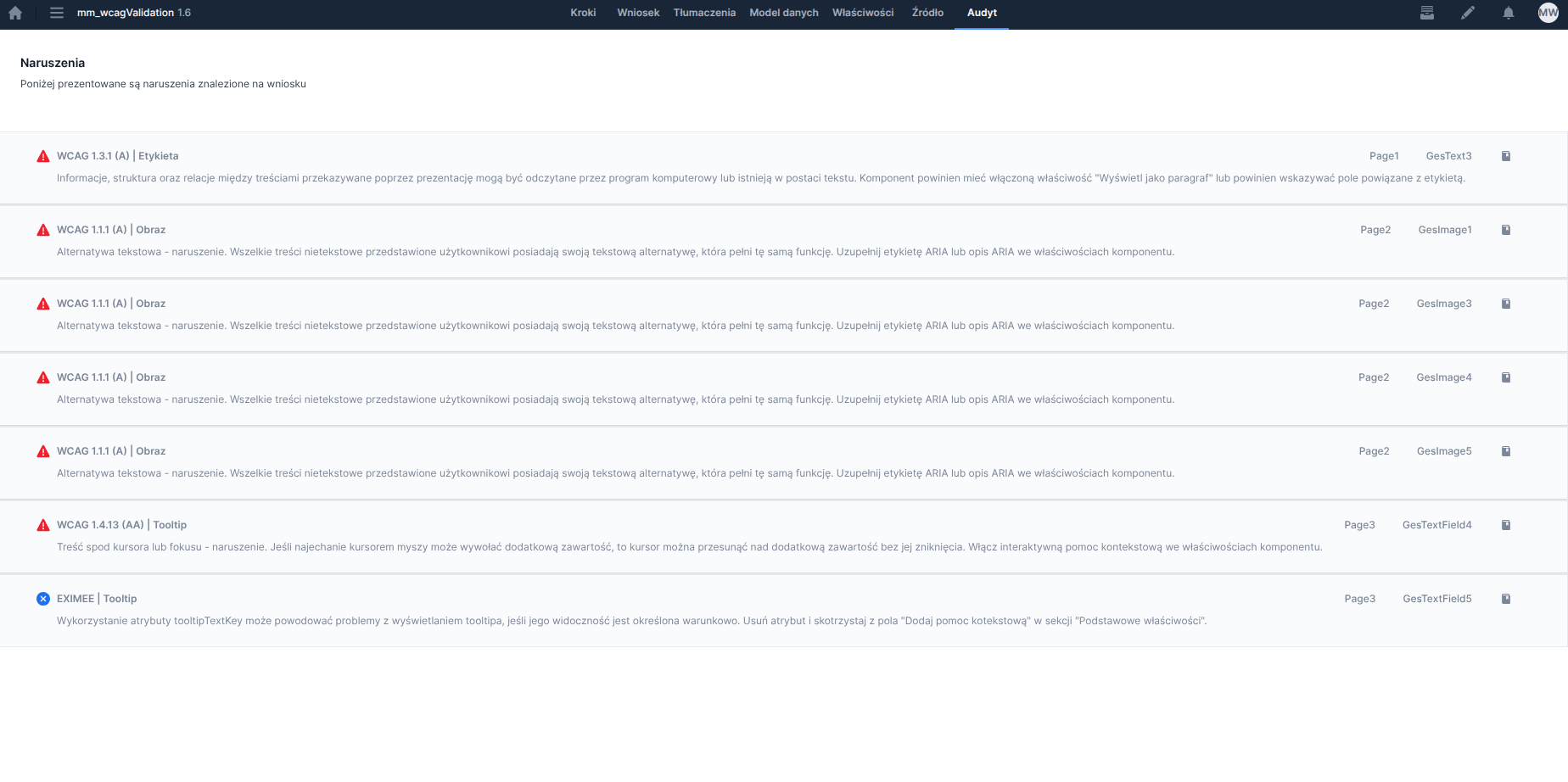
Figure 1. List of application violations in read-only mode
Figure 1. List of application violations in read-only mode
\
) instead of as a label(\) **Validation method:** Check whether the component has the "Display as paragraph" property selected or whether the "Field associated with the label" field is filled in. ### WCAG 1.4.13 (AA) Violation | Tooltip **Level**: Violation **Occurrence**: Contextual help (Tooltip) **Component documentation:** [Contextual help (tooltip)](https://github.com/Consdata/eximee-docs/tree/main/budowanie-aplikacji/interfejs-uzytkownika/formularze/biblioteka-komponentow-bazowych/pomoc-kontekstowa-tooltipbutton.md) **Reason**: If hovering the mouse pointer can trigger additional content, then the pointer can be moved over the additional content without it disappearing. In our system, this functionality is enabled by interactive contextual help. **Validation method:** Check whether the component has interactive contextual help enabled in the component properties. --- # Agent Instructions This documentation is published with GitBook. GitBook is the documentation platform designed so that both humans and AI agents can read, navigate, and reason over technical content effectively. Learn more at gitbook.com. ## Querying This Documentation If you need additional information that is not directly available in this page, you can query the documentation dynamically by asking a question. Perform an HTTP GET request on the current page URL with the `ask` query parameter, and the optional `goal` query parameter: ``` GET https://docs.eximee.com/documentation/documentation-en/budowanie-aplikacji/interfejs-uzytkownika/formularze/tworzenie-formularza/zakladka-audyt-naruszenia-wcag/wcag-audyt.md?ask=