> For the complete documentation index, see [llms.txt](https://docs.eximee.com/llms.txt). Markdown versions of documentation pages are available by appending `.md` to page URLs; this page is available as [Markdown](https://docs.eximee.com/documentation/documentation-en/budowanie-aplikacji/interfejs-uzytkownika/formularze/tworzenie-formularza/siatka-layoutu-szata.md).
# Layout grid / theme
## Layout grid
**Layout grid** is a graphical representation **of columns and rows**, in which form components are placed. It allows you to design and organize the form layout – it defines how components are arranged on the page and controls the proportions between them.\
Thanks to the grid, the form creator can precisely set the width and position of elements while maintaining visual consistency and interface readability.
The layout grid is visible both in form edit mode and in read-only mode.
### Grid view in the application editor
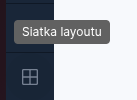
Enabling the layout grid is possible in the tab **Request** – by clicking the button **“Layout grid”** located at the bottom of the side panel.
After enabling the grid view, the form is expanded with additional helper elements:
* a column grid (helpful when designing and modifying the application layout) and the boundaries of component areas,
* identifiers for pages, base components, and composite components,
* visibility of technical fields.
Figure 2. Technical field visible after enabling the "Layout grid" option
The grid view does not affect the published appearance of the form – it is only **a helper tool** that facilitates component placement and layout analysis.
Figure 3. View of the "Application" tab without the layout grid enabled
Figure 4. View of the "Application" tab with the layout grid
## Theme change
**Theme change** is an option in Eximee Designer that allows switching between application themes, i.e. the visual layers of the form.
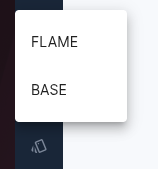
Switching between themes occurs after clicking the button **Theme change** located at the bottom of the form editor's side panel.
After clicking the button, a list of available themes defined for the platform instance opens.\
Selecting another theme immediately changes the form's appearance in the preview – however, it does not affect its logic or component structure.
### FAQ
**Does the layout grid change the form's appearance for the end user?**\
No. The grid is visible only in edit mode and does not affect the published appearance of the form.
**Can the theme be changed for a single form page?**\
No. The theme is assigned to the entire form or application, not to individual pages.
**Does changing the theme affect the column layout?**\
Not directly, but different themes may have different margin and spacing values, which may require minor adjustments to component placement.
---
# Agent Instructions
This documentation is published with GitBook. GitBook is the documentation platform designed so that both humans and AI agents can read, navigate, and reason over technical content effectively. Learn more at gitbook.com.
## Querying This Documentation
If you need additional information that is not directly available in this page, you can query the documentation dynamically by asking a question.
Perform an HTTP GET request on the current page URL with the `ask` query parameter, and the optional `goal` query parameter:
```
GET https://docs.eximee.com/documentation/documentation-en/budowanie-aplikacji/interfejs-uzytkownika/formularze/tworzenie-formularza/siatka-layoutu-szata.md?ask=&goal=
```
`ask` is the immediate question: it should be specific, self-contained, and written in natural language.
`goal` is optional and describes the broader end goal you are ultimately trying to accomplish on behalf of the user. GitBook uses it to tailor the answer towards what is most useful for that goal.
The response will contain a direct answer to the question and relevant excerpts and sources from the documentation.
Use this mechanism when the answer is not explicitly present in the current page, you need clarification or additional context, or you want to retrieve related documentation sections.