> For the complete documentation index, see [llms.txt](https://docs.eximee.com/llms.txt). Markdown versions of documentation pages are available by appending `.md` to page URLs; this page is available as [Markdown](https://docs.eximee.com/documentation/documentation-en/budowanie-aplikacji/interfejs-uzytkownika/formularze/biblioteka-komponentow-bazowych/2-pola-wyboru/radio/radio-grupa-radiogroup.md).
# Radio group - RadioGroup
Single-choice value group
## Component properties
| Eximee Designer property | Attribute name in the Source | Description |
| ----------------------------------------------------------------------------------------------------- | ---------------------------- | -------------------------------------------------------------------------------------------------------------------------------------------------------------------------------------------------------------------------------------------------------------- |
|
Title (section Basic properties)
| title | Radio group title. Feature availability depends on the license and may not be available in all deployments. |
|
Graphical representation of the component (section Other)
| presentation | Graphical representation of the component (to choose the value **STANDARD** and **SELECT**). The value **STANDARD** defines the standard appearance of the component. Feature availability depends on the license and may not be available in all deployments. |
> More information about component properties: [Common component properties](/documentation/documentation-en/budowanie-aplikacji/interfejs-uzytkownika/formularze/praca-z-komponentami-bazowymi/wspolne-wlasciwosci-komponentow.md)
Figure 1. Component appearance on the form
## Internal components
Inside the component **Radio group** two types of components can be embedded: **Text** (text labels) and **Radio** (single-choice components). The way components are arranged inside **Radio group** can be defined using a layout, similarly to the arrangement of components on a page or in a section.
{% hint style="warning" %}
Note! A dynamic Radio group always has a single-column layout.
{% endhint %}
## Component input parameters
| Parameter | Description |
| --------- | --------------------------------------------------------------------------------------------------------------------------------------- |
| **value** | The value taken by the selected field **Radio**. |
| **text** | Text label of the field **Radio**. It is possible to refer to variables or fields, e.g.: *${sessionVariableName}* or *${GesTextField1}* |
## Populating with an external data source
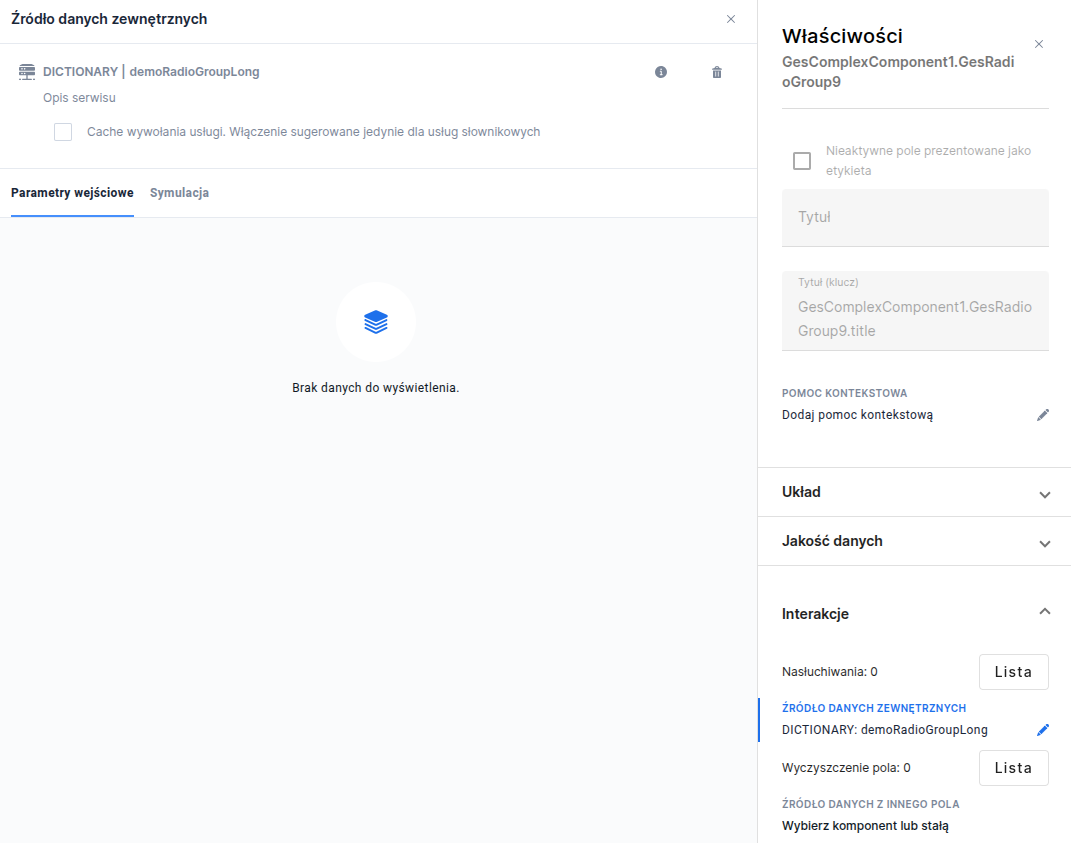
Component **Radio group** can be populated with data from an external data source.
To populate the component **Radio group** go to the tab **Interactions** and select the property **External data source**. Then select the desired service, e.g. dictionary.
Figure 2. How to populate with an external data source
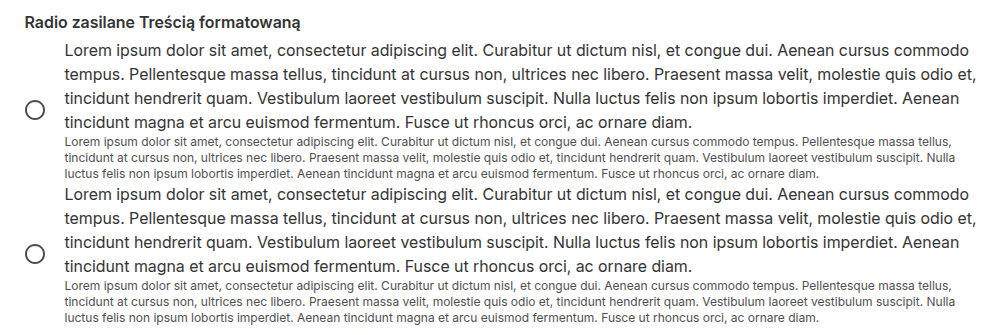
* For the source type **SERVICE** - you can e.g. choose a service that displays formatted text and graphics in the radio from the Content artifact (TextContent) - for this purpose use the service **TextContentService**.
Figure 3. Populating the Radio group with data from formatted content
If the logic for generating options is specific to a given form or requires data to be processed dynamically, the best choice will be using a source of type **SCRIPT**. The example below presents a script that converts a dictionary defined in the object into a format understandable by the component (an array of objects containing pairs *label* and *value*).
```js
function callService(context) {
// Dictionary of available options - key is the label, value is the id (value)
const items = {
"Lorem ipsum dolor sit amet, consectetur adipiscing elit, sed do eiusmod tempor incididunt ut labore et dolore magna aliqua. Ut enim ad minim veniam, quis nostrud exercitation ullamco laboris nisi ut aliquip ex ea commodo consequat. Duis aute irure dolor in reprehenderit in voluptate velit esse cillum dolore eu fugiat nulla pariatur.": "1",
"Lorem ipsum dolor sit amet": "2",
"Lorem ipsum dolor sit amet, consectetur adipiscing elit, sed do eiusmod tempor incididunt ut labore et dolore magna aliqua.": "3",
"Lorem ipsum dolor sit amet, consectetur adipiscing elit": "4",
"Lorem ipsum": "5",
};
// Transform the object into an array of objects {label, value}
return Object.entries(items).map(([label, value]) => ({ label, value }));
}
```
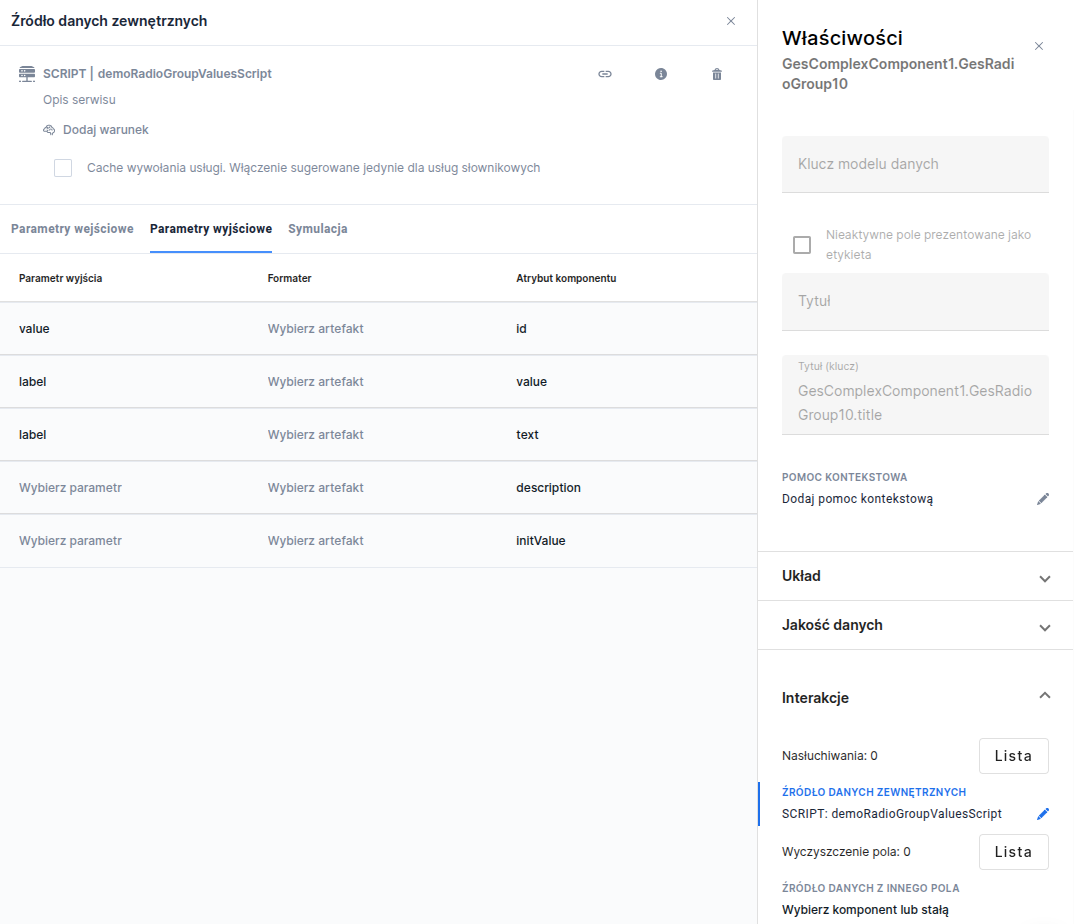
To ensure the script works properly, configuring the output parameter mapping is necessary. The properties returned by the script (*label* and *value*) must be unambiguously assigned to the appropriate component attributes.
Figure 4. Mapping output parameters to component attributes
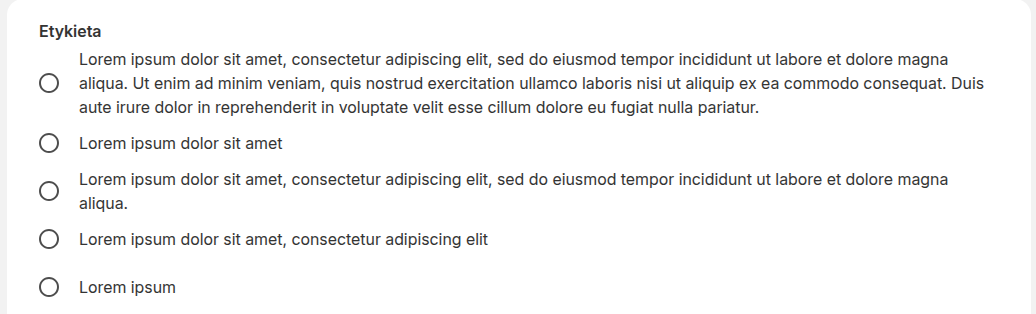
After correct mapping, the component will generate a list of options based on the data returned by the code. The script will automatically adjust the list appearance, correctly handling both very long and short texts.
Figure 5. Radio group populated by a script
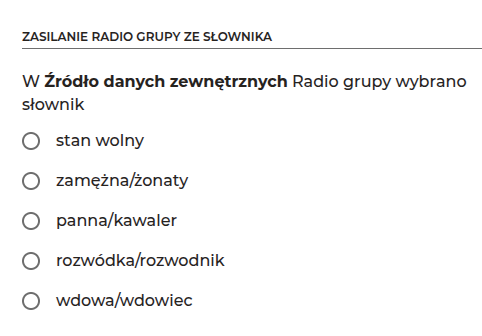
* For the source type **DICTIONARY** - all rows will be translated into fields **Radio** and arranged according to the layout **GridLayout**, each field **Radio** on the next row.
Figure 6. Populating the Radio group with data from a dictionary
{% hint style="info" %}
Demo form: demoRadioGroup
{% endhint %}
{% hint style="info" %}
♿WCAG: [WCAG best practices for low-code dev](/documentation/documentation-en/budowanie-aplikacji/interfejs-uzytkownika/wcag/dobre-praktyki-wcag-komponenty-low-code.md)
{% endhint %}
---
# Agent Instructions
This documentation is published with GitBook. GitBook is the documentation platform designed so that both humans and AI agents can read, navigate, and reason over technical content effectively. Learn more at gitbook.com.
## Querying This Documentation
If you need additional information that is not directly available in this page, you can query the documentation dynamically by asking a question.
Perform an HTTP GET request on the current page URL with the `ask` query parameter, and the optional `goal` query parameter:
```
GET https://docs.eximee.com/documentation/documentation-en/budowanie-aplikacji/interfejs-uzytkownika/formularze/biblioteka-komponentow-bazowych/2-pola-wyboru/radio/radio-grupa-radiogroup.md?ask=&goal=
```
`ask` is the immediate question: it should be specific, self-contained, and written in natural language.
`goal` is optional and describes the broader end goal you are ultimately trying to accomplish on behalf of the user. GitBook uses it to tailor the answer towards what is most useful for that goal.
The response will contain a direct answer to the question and relevant excerpts and sources from the documentation.
Use this mechanism when the answer is not explicitly present in the current page, you need clarification or additional context, or you want to retrieve related documentation sections.